- Jun 12, 2024
Housecall Pro vs Jobber Comprehensive Review (2024)
- Joe Guevara
- Software & Tools for Field Services
Key Takeaways
Both options are great specialized software specific to Residential-focused businesses, with basic features from scheduling, quotes, job management, and more.
Housecall Pro tends to be better towards solo businesses but not looking to grow
Jobber is a great operational system with unique GPS features, especially if you already have a marketing system in place
Consider other alternatives if you’re looking to grow or are looking for an all in one
Want a more in-depth review? Check out our Youtube Channel:
Housecall Pro vs Jobber: Overview
For any Field Service Business (IE HVAC, Plumbing, Contracting, etc.); working to organize and optimize how you get your leads, consultations, sales, service, maintenance, and customer support functions can be challenging as you grow the business.
Housecall Pro and Jobber are two of the most prominent Field Service Management (FSM) software that most of my clients ask me to review because they cater to smaller businesses; meaning they have a high volume of clients. This also means they tend to meet the needs and requests MOST field service businesses, and we’ll get to those exceptions in this post.
As always, since software does change over time, we’ll be posting updates across all field service software so sign up to our newsletter if you want to stay up to date.
Housecall Pro vs. Jobber: Pricing
Housecall Pro and Jobber offer various pricing tiers and features for service professionals.
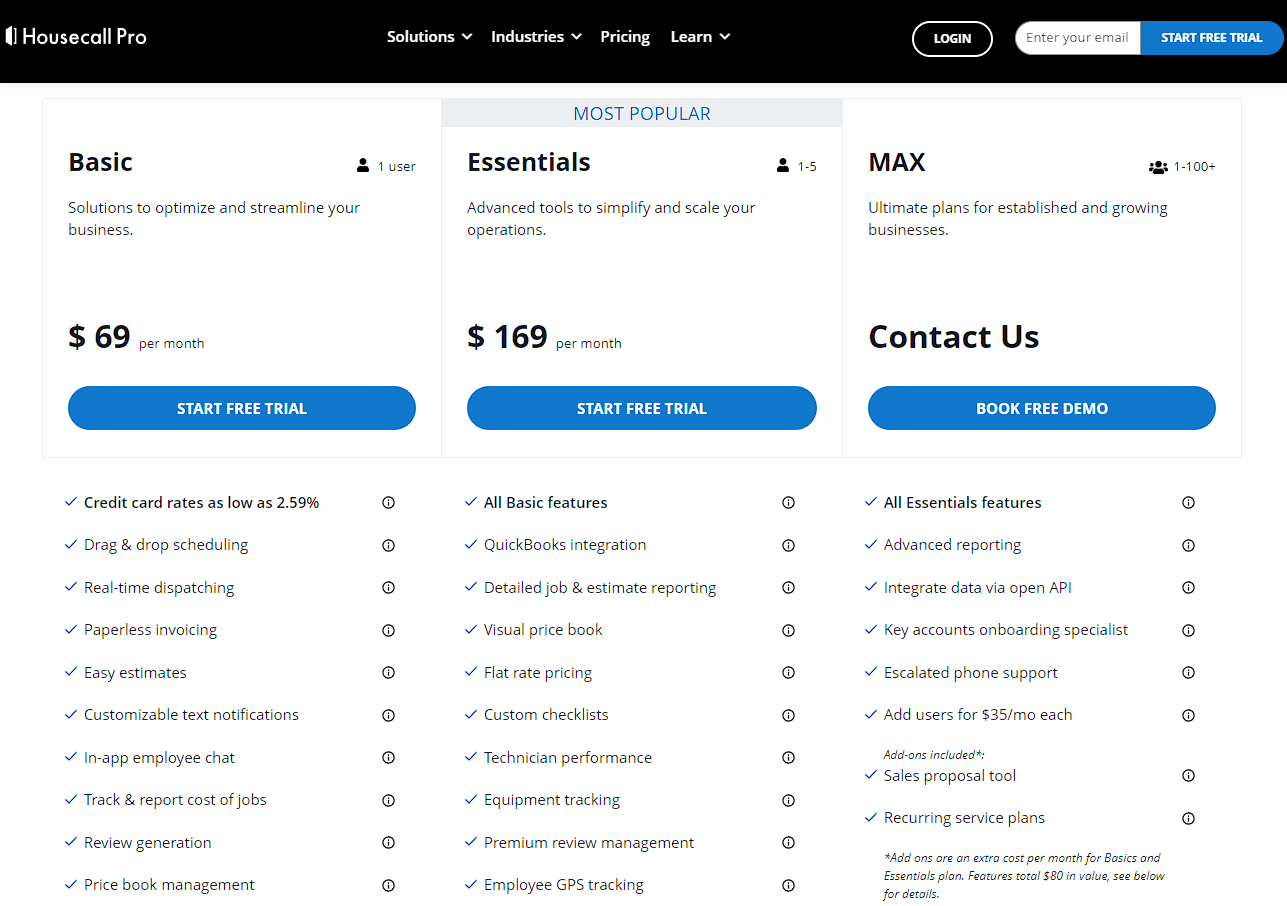
Housecall Pro has three pricing plans: Basic at $65/month, Essential at $169/month, and Max with custom pricing, with discounted annual rates available. (Click here for a free trial)
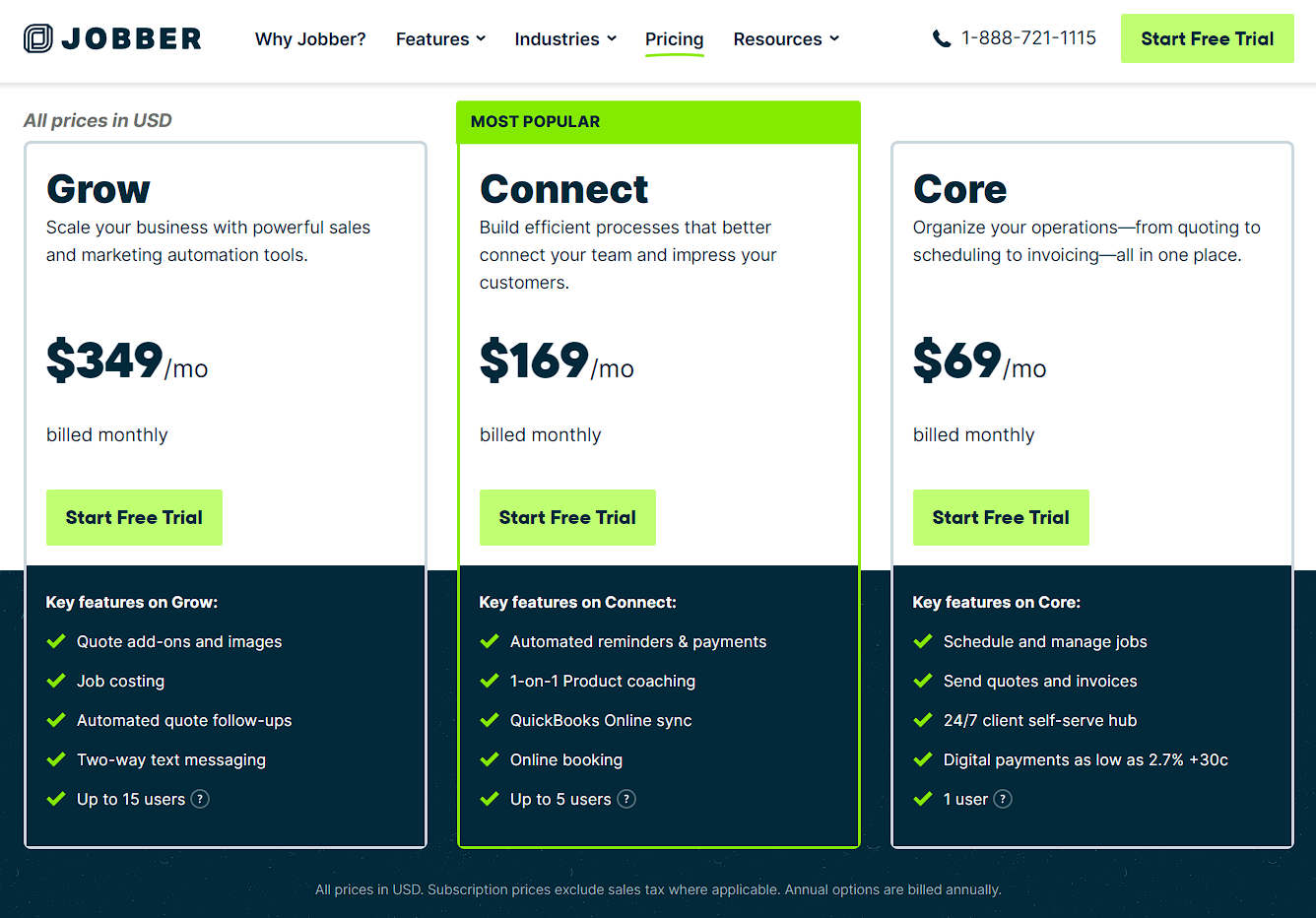
Jobber also offers three pricing tiers: Core at $69/month, Connect at $169/month, and Grow at $349/month, also with annual discounts. (Click here for a free trial)
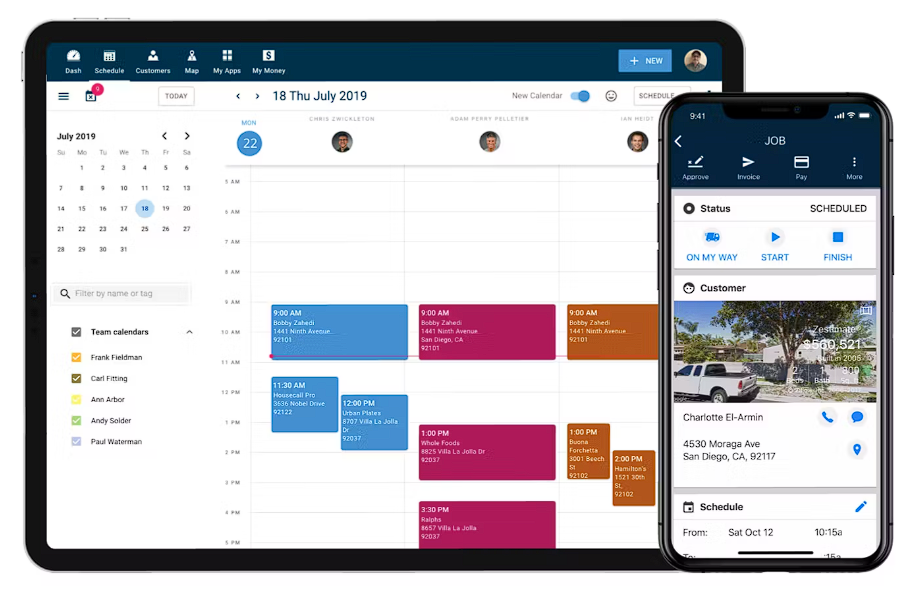
Both platforms provide mobile apps for iOS and Android. Housecall Pro includes a sophisticated scheduling and dispatch system for client management with a pretty solid iOS app, while Jobber features a unique client management portal with a self-service hub that I’ve only found in one other FSM, Thryv, at least at this price range.
Add-ons and integrations are available on both platforms which is where you’re going to have to make sure you’r comparing apples to apples. Most of my clients that have explored Jobber realized that many of the features they liked only exist in the Grow package compared to Housecall Pro where it might be in the Connect package.
Housecall Pro offers industry-leading integrations and GPS tracking at $20 per vehicle per month - but this is NOT an integrated solution and requires a 3rd party vendor. Jobber has this capability baked into the app (but not at the level of a true fleet management provider). However, Jobber also does provide app integrations via the Jobber App Marketplace and includes GPS waypoint tracking in the Connect and Grow plans, requiring an additional tracker and FleetSharp subscription for live tracking - so I usually give the edge to Jobber with GPS functionality.
Housecall Pro vs. Jobber: Product Market Fit
My general verdict after comparing the hundreds of field service businesses I’ve talked to is that Housecall Pro is best suited for solopreneurs. This is because their base package packs a ton of features that if you’re not aggressive with sales & marketing; and does 80% of what you need in your business to automate. However as you scale, Jobber’s capabilities are generally more polished, efficient, and flexible.
Jobber’s Connect & Grow plan scaled from 5-15 employees at the $169-$349/Month price point. This gets you to maybe 95% of the features you need when it comes to operations but you’re going to have to buy other marketing software (like MailChimp or Social Bee/Crowdfire) which pushes the price even higher. However, if you already have all of those setup; and you just need something to make your business run more smoothly - Jobber is a perfect fit.
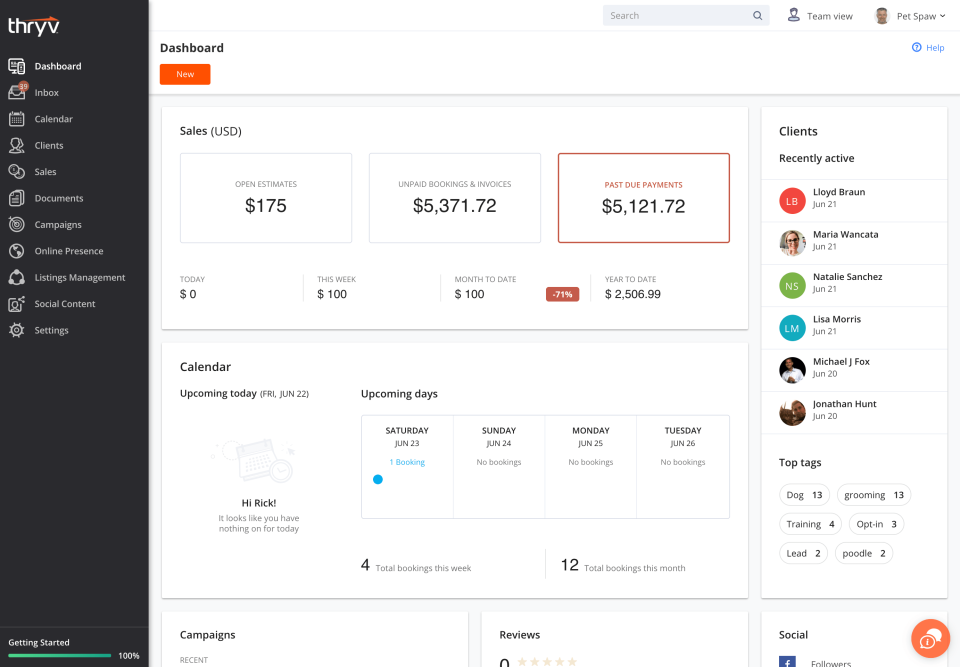
In both of those ranges, if you DO want to do any sort of marketing, paid ads, or social media management - I recommend comparing these 2 to Thryv (Book a Demo here) since it’s the only fully all-in-one option that I’ve seen in the market that seamlessly integrates field service marketing along with flexible business processes. Thryv's base package is pricier than the base package for both Jobber & HCP (starting at $230/Month) but actually has even more features (minus GPS) than Jobber’s Grow package.
Once you get to the realm of over $1m in revenue and over 5-10 headcount; or if you target commercial businesses this is the space where you’ll want to consider more customized options since small operational efficiencies can have a big impact to your P&L.
In this case, I usually recommend software catered to larger or B2B businesses here (I’ll write a full review on these in the future).
Housecall Pro vs. Jobber: Reporting, Analytics, and Integrations
As a consultant focused on business results, one of the biggest factors I like to look at is reporting & how you can actually assess if your business operating as efficiently and profitably as it should be. This is also the reason why I generally bucket Housecall Pro in the solopreneur category.
In general, I find Housecall Pro’s data & reporting structure highly restrictive. Whatever fields are already in their system are the only ones you can use; and since this is a foundational system structure - I don’t expect them to upgrade this anytime soon.
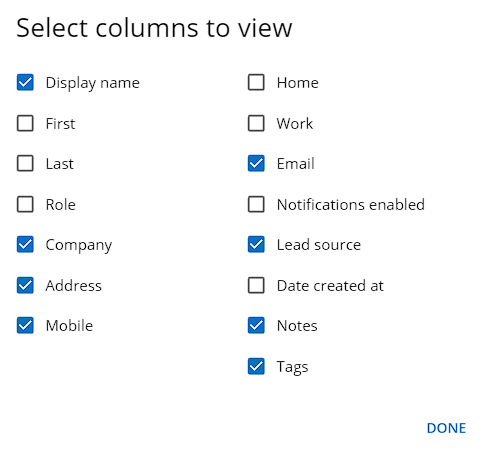
Housecall Pro Reporting Fields
Jobber on the other hand does have a lot more capabilities to add custom fields. This means that you can generally adapt new processes, tracking, and checklists to better automate & improve your efficiencies throughout the business.
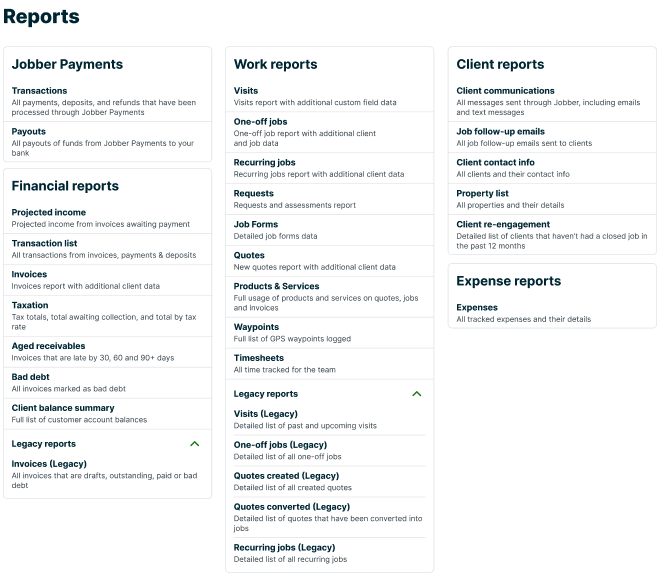
I highly recommend checking out their free trial and specifically testing out their custom fields for your processes yourself. This is something I’ve seen clients test after they’ve already purchased the platform and not realize how restrictive it can be compared to what you’re used to doing with a more manual process. If you need more process automation, this is where you’ll want to consider pure CRMs like Pipedrive, or Hubspot; or in the middle of the pack is Thryv which has less flexibility than a full CRM, but more flexibility than Housecall Pro and Jobber.
Housecall Pro vs. Jobber: Quoting, Estimates, Invoicing, and Finance
When it comes to basic financial features, both Housecall Pro and Jobber offer integrated quoting, invoicing, and even payments functionality. However, Housecall Pro stands out by providing employee expense cards (for a separate fee), allowing employers to set individual spending limits per transaction, automatically refill balances, and seamlessly reconcile with QuickBooks. Jobber, on the other hand, only offers expense tracking. These also integrate directly with Quickbooks overall, so if you’ve been using Quickbooks as a CRM, you can definitely migrate over pretty easily without a ton of hassle (although you can do this with 99% of software today; the only one I’ve seen that’s had trouble is Service Fusion).
However, where there becomes key differences is in the quoting, estimation, and invoicing side. One of the biggest issues clients have with Housecall Pro is the lack of customization on their invoices, which again leads me to my recommendation it’s great if you’re just solo and getting the job done.
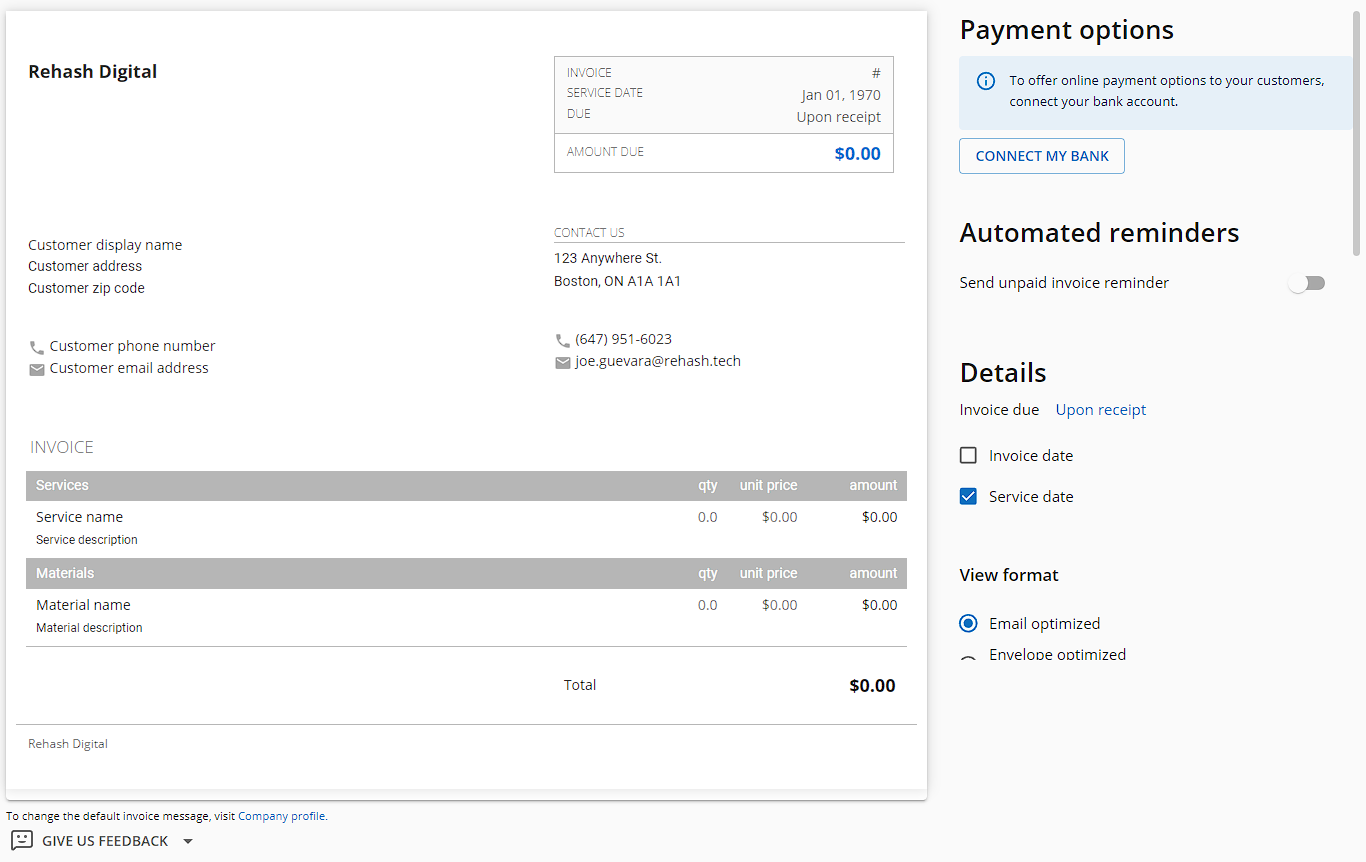
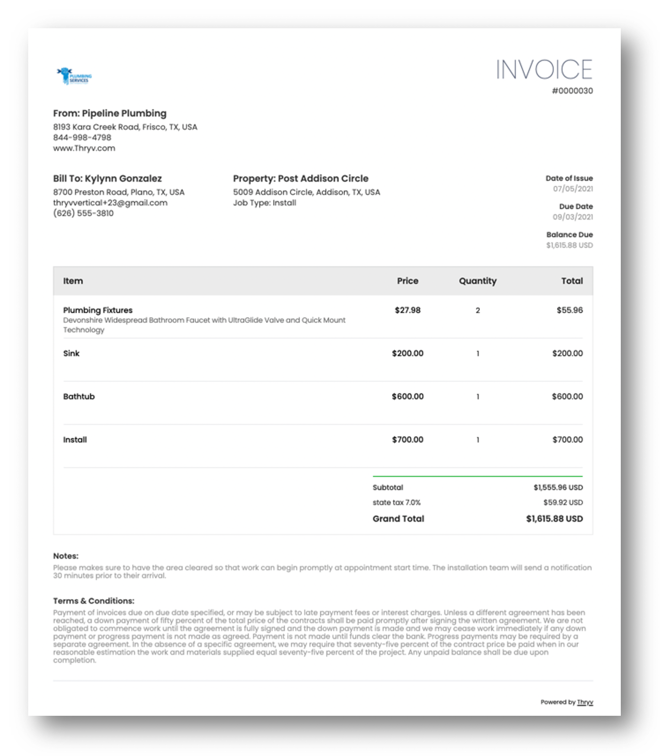
However, if you want better looking invoices with at least some basic customizations - then Jobber has HCP beat. That said, neither are actually strong at this. Most other systems like Thryv, Hubspot, Zuper, Field Edge, and others have much more customizable invoices (including custom terms & notes at the bottom of each) which makes me wonder why it’s hard for either Jobber or HCP to catch-up.
Lastly, if you have the need for very tight financial tracking to the point where you need detailed job costing, inventory & asset management, and GPS timeclock functionality - you're going to need one or more of the software in this list:
Housecall Pro vs. Jobber: Final thoughts
So overall, if you’re moving from some sort of manual process or nothing at all - both Housecall Pro and Jobber can do the trick. Overall, Housecall Pro is good if you’re not aggressively scaling and you just need a basic operational system to manage the jobs you already have.
Jobber on the other hand is great if you do plan to scale; but don’t have a need to automate & or track anything marketing or social media related. Generally it’s a great fit up until you hit 5-10 employees or over $1m in annual revenues.
Once you get to those points in your business growth, or if you have any need for marketing or sales support, or if you target B2B or other commercial businesses - you might need other options.
Consider more robust all-in-one solutions like Thryv if you need marketing; or if you’re targeting commercial businesses, subcontract to property management companies, or have unique processes - Service Titan as an all-in-one can work (but expensive), or an integrated solution like Zuper + Hubspot + Aircall are the most flexible, cost-effective, and efficient.
Of course, every business is different so if you need a hand at digitally transforming your field service business & operations; feel free to reach out to us for a free 15 minute consultation to see if we can help. We can help guide you to solutions tailored to your unique situations; and if the time is right - we can also give you a helping hand.